Skip to content
TeamElGhazi
ENChange language
Make a request
Video editing
Design and creation

Video Editing Course: Reels, Shorts and YouTube Videos

The first three seconds decide whether people watch the rest.

At a glanceTeamElGhazi's Video Editing course teaches shops, craftspeople and garages that film but never publish how to shoot and edit videos that people watch to the end: reels, shorts, TikTok and longer YouTube videos. Shooting on a phone, cutting, sound, subtitles, then one video a week that you can repeat on your own.

Google4,8out of 5 · 11 Google reviews

The fact sheetOn the date you choose

Duration
Set in the written programme, according to your level and the formats you are aiming at
Format
Live online · private lessons · private group · in companies or institutions
Audience
Beginners, shopkeepers, creators, freelancers, teachers, students, communications teams
Prerequisites
None. A recent phone; a computer for longer videos.
Price
Price depends on the format: ask us
At the end

You leave
with.

The final project

Three publishable videos on your subject and your editing templates

The tools
  • CapCut
  • DaVinci Resolve or Premiere Pro
  • a lavalier microphone recommended
Language of the sessions
Sessions, materials and exchanges in 100 languages. Online everywhere; on site in Morocco.
The programme

What do you learn, step by step?

Each step produces a short video on your own subject.
  1. 01Stage 1An opening that holds attention: one strong sentence or image in the first three seconds
  2. 02Stage 2Shooting on a phone: light, vertical framing, clean sound, short shots
  3. 03Stage 3Editing: cutting, joining clips, removing silences, keeping the pace
  4. 04Stage 4Sound: a clear voice, music beneath the voice, light sound effects
  5. 05Stage 5Subtitles and on-screen text: most videos are watched without sound
  6. 06ProjectThe project: three publishable videos, a 30-second vertical video, a short and a YouTube video of a few minutes
La timeline

Un reel, piste par piste

Un reel de 30 secondes, piste par piste, monté comme ceux de notre Studio : les plans, la musique, les sous-titres calés sur la voix.
ExempleReel · 9:16 · 30 sLe planning qui se remplit tout seulLe devis arrive sur WhatsApp

Timeline · 30 secondes

Sous-titres
0:000:030:100:20
Musique
Plans
  1. 0:00 → 0:03Le planning qui se remplit tout seul
  2. 0:03 → 0:10On choisit ses heures, elles sont bloquées
  3. 0:10 → 0:20Le devis arrive sur WhatsApp
  4. 0:20 → 0:30planning.teamelghazi.com
Good to know

Before you
enrol.

  • 01

    Which software do we use?

    The simplest one that does the job. CapCut, on a phone or a computer, is enough for reels and shorts. DaVinci Resolve, which is free, or Premiere Pro, on subscription, for longer videos. The choice is made with you before the first session.

    An example: a garage films its repairs but does not dare publish them. In the course, the manager learns to shoot three shots (before, during and after), to edit them into 20 seconds with a subtitle, and publishes one video a week.

  • 02

    Why learn it with us?

    Because we edit our own videos every week. The TeamElGhazi Studio produces our reels, shorts and videos, with voice-over, subtitles and music, from a bank of examples analysed one by one: why one opening holds attention, why one shot runs too long. The course follows the same method: start from an example that works, understand why, then make your own version.

    Short video is also a module of the Operational Marketing and Graphic Design programme (4 months), and of the Digital Creation Workshop for ages 8 to 14.

  • 03

    What should you prepare before enrolling?

    What you want to film, the network you are aiming at, your phone or your computer, and a few clips already shot if you have any. In private lessons, you edit your own footage. You receive the written programme before you decide. If you would rather entrust your videos to us, our video and reels service produces them.

How it works

Des rushes du téléphone à trois vidéos publiées

  1. 01
    Un exemple qui marche, décortiquéUn reel choisi avec vous : ce qui se passe dans les trois premières secondes, la durée de chaque plan, la place du texte.
  2. 02
    Vos rushes, tournés au téléphoneAvant, pendant, après : trois plans verticaux, la lumière d'une fenêtre, un son propre.
  3. 03
    Le premier montage de 30 secondesDécoupe, silences coupés, musique sous la voix ; le formateur reprend votre timeline plan par plan.
  4. 04
    Les sous-titres relusGénérés en quelques clics, puis corrigés mot par mot : la plupart des vidéos se regardent sans le son.
  5. 05
    Trois formats exportésUn reel vertical, un short et une vidéo YouTube de quelques minutes, prêts à publier.
The proof

Among our
projects.

What was delivered, for whom and when; each card leads to its page.

Content production studio: videos

Our own library of assets, a written art direction, and edits that run one at a time.

Produced by
TeamElGhazi, for its own communication
Output
Videos, reels, carousels, animations, PDFs, voice-overs, subtitles

The case study

Our own automations: the systems that run TeamElGhazi

Outreach and follow-up by e-mail, LinkedIn and WhatsApp, booking, publishing, the morning summary, monitoring: our own systems, in service every day.
Client
TeamElGhazi (built by us)
Period
Since September 2026
The case study
In the same field

Related
courses.

Same field, different tool or level.
  • 3D Modelling

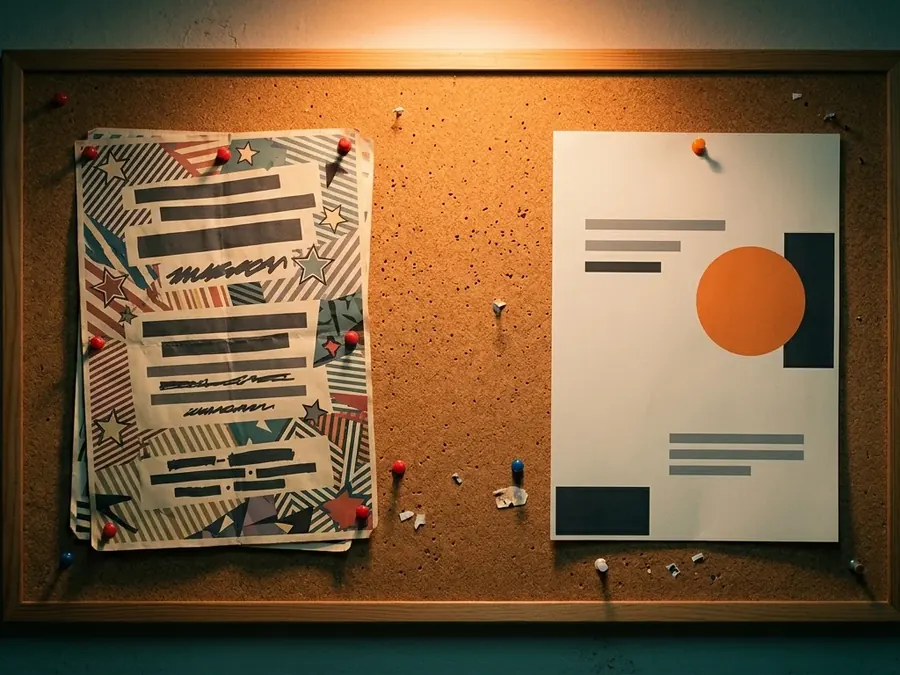
    No photo studio? Your object, rendered from four angles, without a single camera.
    Duration
    Set in the written programme, according to your level and your project
    Format
    Live online · private lessons · pre-arranged group · at your institution
    Audience
    Beginners, design or architecture students, creators, shopkeepers
  • Graphic Design

    A good visual reads in two seconds. The rest is noise.

    Duration
    Set in the written programme
    Format
    Live online · private lessons · private group
    Audience
    Beginners, shopkeepers, freelancers, associations, students, teachers
Frequently asked questions

Your questions
about this course.

4 answers

Do I need a professional camera?

No. A recent phone, a window for light and a small microphone are enough for clean social media videos.

I do not want to appear on screen: is that possible?

Yes. You can film your hands, your product or your screen, or make a video with a voice-over alone.

Do we learn to add subtitles automatically?

Yes. Automatic subtitles are generated in a few clicks; above all, you learn to proofread and correct them.

Can a teenager enrol?

Yes, in private lessons or in a small group. For ages 8 to 14, the Digital Creation Workshop already includes video editing.

Your request

Your request
comes in here.

in 100 languages
01 · Make a request
Your request
You
At least one of the two: email or phone.
Sending

Your data is used only to reply to you (Law 09-08, GDPR). Privacy
02 · Meeting30 min

Individuals, institutions, companies: you choose your slot online. A first 30-minute conversation for a project, or your lesson hours.

Choose a slot
03 · A call, an e-mail06 60 66 59 52

Call us, or write to contact@teamelghazi.com

Service delivered in
  • 100 languages
From Casablanca: on site in Morocco, remotely everywhere.

Ready to
start?

The course is already selected in the form. A question before you enrol? Let us take 30 minutes.
Make a requestMeeting