Skip to content
TeamElGhazi
ENChange language
Make a request
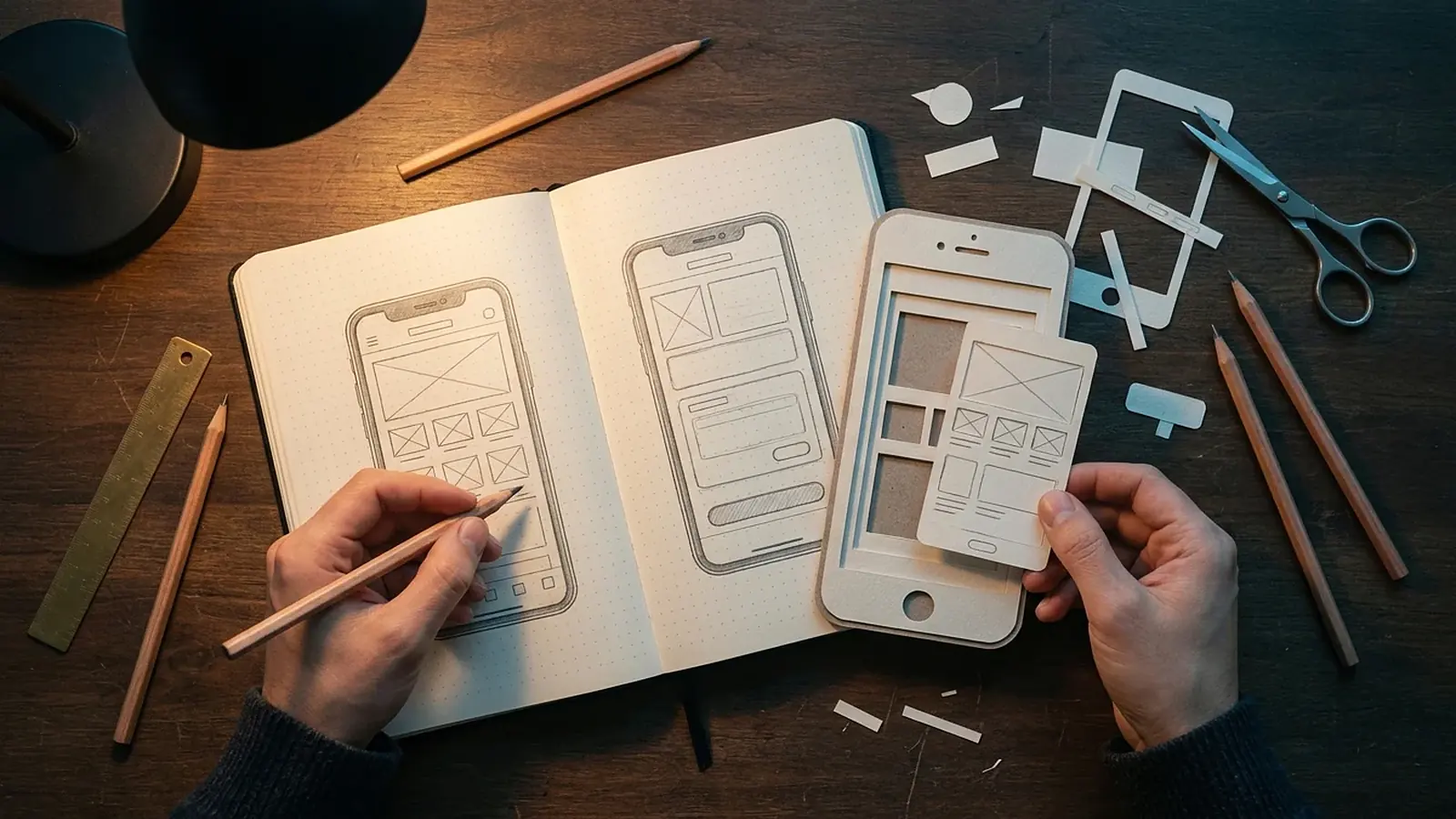
UX/UI Design Course with Figma: Screens People Understand Without Help
Tech and AI

UX/UI Design Course with Figma: Screens People Understand Without Help

If the visitor has to look for the button, the screen is at fault.

At a glanceTeamElGhazi's UX/UI design course with Figma teaches you to design screens that are simple to use: understand the user, draw the interface, then test it. It is for teams losing requests because of a form that is too long, for design beginners and for developers, from the first sketch to a clickable prototype tested by three people.

Google4,8out of 5 · 11 Google reviews

The fact sheetOn the date you choose

Duration
Set in the written programme, according to your level and your project
Format
Live online · private lessons · group formed on request · in company
Audience
Beginners, developers, students, shop owners, product managers, teams
Prerequisites
None in design. Being able to use a computer and a browser.
Price
Price depends on the format: ask us
At the end

You leave
with.

The final project

A complete mock-up and a clickable prototype of your project

The tools
  • Figma (free plan)
  • paper and pencil
Language of the sessions
Sessions, materials and exchanges in 100 languages. Online anywhere; on site in Morocco.
The programme

What do you learn, step by step?

The typical programme follows a real screen project that you choose: a booking page, an app, a registration form.
  1. 01Stage 1Understand the user: who they are, what they want to do, where they get stuck
  2. 02Stage 2Draw the journey: the steps, from arrival to action, on paper and then as a diagram
  3. 03Stage 3Create the mock-up in Figma: grids, components, text and colour styles
  4. 04Stage 4Make the screen easy to read on a phone: text sizes, touch areas, contrast
  5. 05Stage 5Prototype and test: a clickable prototype, shown to three people, then corrected
  6. 06ProjectThe project: a complete mock-up and a prototype ready to hand over to a developer
Le formulaire, retravaillé

Moins de champs, plus de demandes

L'exercice type : un formulaire de réservation refait pour le téléphone, puis vérifié en arabe.
Exemple
  1. AvantRéservationNomPrénomE-mailTéléphoneAdresseVilleCode postalValider

    1Sept champs, dont quatre inutiles à ce moment.

  2. AprèsRéservationLieuDatesTéléphone (WhatsApp)Voir les offres

    2Trois champs ; le reste se demande plus tard.

  3. ARالحجزالمكانالتواريخالهاتفعرض العروض

    3En arabe : le formulaire se lit de droite à gauche.

Good to know

Before you
enrol.

  • 01

    Who it is for: those whose form is losing requests

    Anyone who designs or commissions screens: a beginner who wants to enter the world of design, a developer who wants clearer interfaces, a student building a portfolio, a shop owner having their website redone. No drawing skills are required.

    An example: a rental agency receives incomplete requests, with no dates or city. During the course, the person in charge of the website redesigns the form in three short steps and tests it with two customers before handing it to the developer.

  • 02

    What is this course based on?

    On screens that we have built and that are in daily use. On 5sautorentcar.com, the customer searches for a car by city and dates, then sends a numbered booking request that goes out by e-mail with a PDF. This journey, step by step, is used as an example in the sessions.

    On riadhermes.com, a language selector gives access to 8 languages, including right-to-left Arabic and Chinese, without changing the design: the course shows what an interface must plan for in order to do this. Figma is also part of the Operational Marketing and Graphic Design pathway (4 months).

  • 03

    In what format?

    With private lessons, you work on your own screen, at your own times. In a group or within a company, each person works on a real case from their organisation. Tell us your level and your project when you enrol: you receive the written programme before you decide.

How it works

D'un formulaire qui perd ses clients au prototype testé

  1. 01
    L'écran qui bloqueVotre projet : une page de réservation, un formulaire d'inscription, une application. On note où l'utilisateur s'arrête.
  2. 02
    Le parcours sur papierLes étapes, de l'arrivée à l'action, dessinées au crayon avant d'ouvrir Figma.
  3. 03
    La maquette Figma, puis sa version téléphoneGrilles, composants, styles ; tailles de texte et zones à toucher vérifiées sur un écran de 390 pixels.
  4. 04
    Trois personnes, un prototypeUn prototype cliquable montré à trois personnes réelles, puis corrigé là où elles ont hésité.
  5. 05
    Le dossier pour le développeurMaquette complète et prototype, prêts à être construits ou à entrer dans votre portfolio.
The proof

Among our
projects.

What was delivered, for whom and when; each card leads to its page.

5S Auto Rental: a car rental website with online booking

City, dates, car, then a booking number.

Organisation
5S Auto Rental
Sector
Car rental
The case study

Riad Hermès: a riad website in 8 languages

Live in 8 languages since 31 October 2026. Open riadhermes.com and switch flags.

Organisation
Riad Hermès
Sector
Hospitality, riad
The case study
In the same field

Related
courses.

Same field, different tool or level.
  • Artificial Intelligence and Automation: in 4 months

    AI prepares, a person decides: learn to build that framework.
    Duration
    4 months
    Format
    Live online
    Audience
    Students, employees, people changing careers
  • Development and networks

    From the code you write to the address that opens: the whole path, in four months.

    Duration
    4 months
    Format
    Hybrid: online live, and sessions with a trainer in Morocco
    Audience
    Students, individuals changing careers, employees, technicians and teams
  • Frontend web development

    Your work deserves better than a link to a shared folder.
    Duration
    2 months
    Format
    Hybrid: live online, and sessions with a trainer in Morocco
    Audience
    Students, motivated secondary school pupils, people changing careers
  • Full Stack Developer

    A form appears on screen in ten minutes. Knowing where the request goes is the real craft.
    Duration
    4 months
    Format
    Online, live on Google Meet
    Audience
    Students, people changing careers, employees, freelancers
  • Data Science and AI

    Two years of figures in a spreadsheet. And still no answer.

    Duration
    4 months
    Format
    Online, live on Google Meet
    Audience
    Students, employees who work with figures, analysts
  • Cybersecurity

    The fake email from the director arrives on a Friday at 17:00. Would your team recognise it?

    Duration
    4 months
    Format
    Online, live on Google Meet
    Audience
    Students, technicians, developers, IT managers, career changers, teams
Frequently asked questions

Your questions
about this course.

4 answers

What is the difference between UX and UI?

UX is the path: what the person wants to do and the steps to get there. UI is what they see: buttons, text, colours, layout.

Do I need to know how to code?

No. Figma is used with the mouse. Knowing a little HTML helps when talking with developers, but it is not required.

Can we design screens in Arabic?

Yes. We show how to flip the layout from right to left without breaking the interface, as on the Arabic version of riadhermes.com.

Will I leave with something to show?

Yes: the mock-up and the prototype of your project, to put in a portfolio or hand over to a developer.

Your request

Your request
comes in here.

in 100 languages
01 · Make a request
Your request
You
At least one of the two: email or phone.
Sending

Your data is used only to reply to you (Law 09-08, GDPR). Privacy
02 · Meeting30 min

Individuals, institutions, companies: you choose your slot online. A first 30-minute conversation for a project, or your lesson hours.

Choose a slot
03 · A call, an e-mail06 60 66 59 52

Call us, or write to contact@teamelghazi.com

Service delivered in
  • 100 languages
From Casablanca: on site in Morocco, remotely everywhere.

Ready to
start?

The course is already selected in the form. A question before you enrol? Let us take 30 minutes.
Make a requestMeeting