Skip to content
TeamElGhazi
EN-USChange language
Submit a request
Absences: notify the same day
Blog: AI, Python, Automation and Web, Answers You Can Verify

Absences: How to Notify Learners and Families the Same Day, Without Typing a Thing

By Abdellah El Ghazi, founder of TeamElGhaziPublished on October 29, 2026

Attendance is already taken every morning. Only the follow-up is missing.

At a glanceA school, a school group or a network of training centers can notify every absent learner or family the same day without copying anything by hand: attendance is entered in class, the message goes out at the chosen time, and leadership receives repeated absences every week, school by school. This article describes this workflow, what it asks of the organization, and the mistakes that make it fail.

Google4,8out of 5 · 11 Google reviews

The article at a glance

Topic
The absence workflow in three steps
Who it's for
School groups, networks of centers, schools, institutes; training organizations
Reading time
5 minutes
The answer in detail

Why does the same day change everything?

A family notified the next day learns about an absence it can no longer explain. An adult learner who drops out is only called back after three sessions. The problem is not attendance itself: it is taken every morning. The problem is the follow-up, copied out by hand whenever the office has time.

In a network of several schools, the difficulty multiplies: each site has its own method, and leadership only sees repeated absences when report cards come out.

How does the workflow work, in three steps?

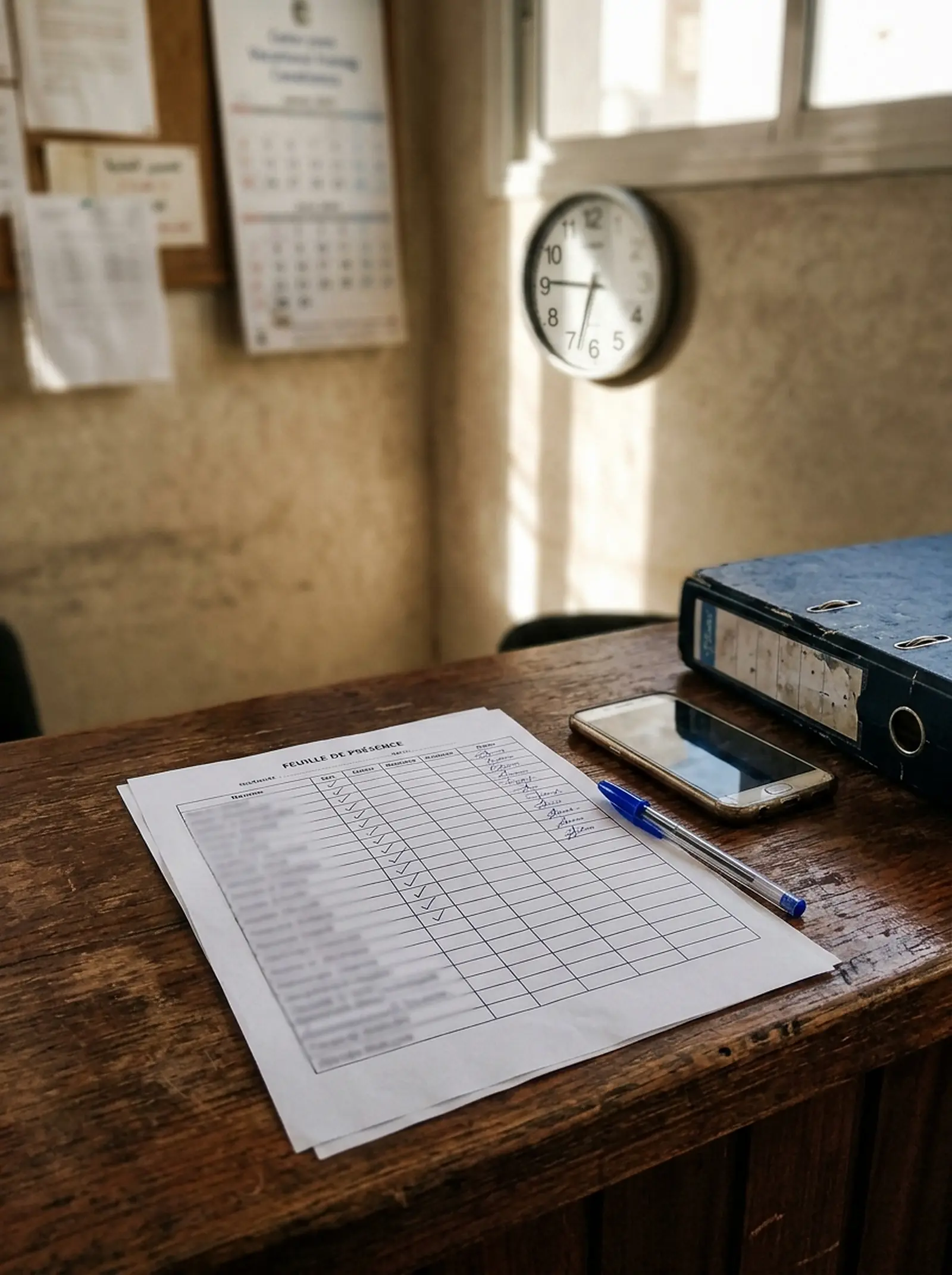
  1. Attendance entered in class. The trainer or teacher marks present or absent on a phone or in the school management tool. The information reaches the school's database right away
  2. The message at the chosen time. The system identifies who is absent and sends a short message to the learner or to their family, depending on age. The text, approved once by leadership, names the session and explains how to justify the absence
  3. The leadership view. Every week, the leadership of each site, and of the group, receive the list of repeated absences. They call the right people instead of going through lists

What does it ask of the organization?

  • Up-to-date contact details for each learner or family, and their consent to be notified by messaging app or by email
  • A short message text, approved by leadership, in the families' language, or in several languages
  • A sending time for each school, and a person in charge of the weekly view
  • The list of cases not to report: outing, canceled session, absence already justified
  • For WhatsApp, a WhatsApp Business account linked to the official API: messages sent at the school's initiative go through templates approved by Meta, which charges for them. Email has no such cost

What mistakes make it fail?

  • A message that makes people feel guilty. The goal is to inform and open a conversation, not to punish
  • Automating before attendance is reliable. If the list is not entered on time, the message goes out by mistake. Start with one pilot site or level
  • Forgetting the opt-out. Every recipient must be able to ask to stop being notified through a given channel, and the system must respect that
  • Believing a spreadsheet is enough for WhatsApp. Without the official API, automatic sending is neither stable nor permitted by WhatsApp

Train the team or have it built?

One person on the team can learn to build this workflow: it is a short, useful first project. For a group or a network, it is better to have a workflow designed once, connected to the school management tool, tested on a pilot site and then extended, with monitoring that alerts you if messages stop going out.

Before launching the messages, check the personal data rules that apply to you: in Morocco, Law 09-08, overseen by the CNDP. Data on minor students calls for particular care.

Une journée, une semaine

De l'appel du matin à la liste du vendredi

Le circuit en trois temps, tel qu'il tourne pour un établissement : ce qui se fait seul, ce qui attend une personne.
Exemple

En classeà la première séance

  • L'appel coché sur le téléphoneenseignant
  • La base mise à jourseul

Le messageà l'heure choisie

  • Les absents repérésseul
  • Le message validé une fois partseul
  • Les réponses des familles luessecrétariat

Le vendredipour la direction

  • La liste des absences répétéesseul
  • L'appel aux bonnes famillesdirection
In the field
  1. 01Attendance entered in class
  2. 02Message at the chosen time, text approved by leadership
  3. 03Weekly view of repeated absences
  4. 04Pilot site, then extension
  5. 05Monitoring of sent messages

Absences notified

The absence is checked off at 8:40 a.m. The family knows before noon.

Outcome
Families notified the same day, repeated absences flagged
Trigger
A fixed time each school day
The case study

Our own automations: the systems that run TeamElGhazi

Outreach and follow-up by email, LinkedIn and WhatsApp, booking, publishing, the morning summary, monitoring: our own systems, in service every day.

Client
TeamElGhazi (built by us)
Period
Since September 2026
The case study
Putting it into practice

The course or service
that goes with it.

The page where this article turns into a program, a service or a quote.
  • Absences notified

    The absence is checked off at 8:40 a.m. The family knows before noon.

    Outcome
    Families notified the same day, repeated absences flagged
    Trigger
    A fixed time each school day
    Tools
    Google Sheets, n8n, WhatsApp Business API or email
  • Automation and No-Code

    The same form, copied into the same spreadsheet, every morning? That is your first workflow.

    Duration
    1.5 months
    Format
    Online, live, with an instructor
    Audience
    Everyone: independent professionals, assistants, managers, teachers
From the same shelf

More answers
worth checking.

Each article answers a question we are asked.

The whole blog

Frequently asked questions

Your questions
about automation.

4 answers

Do we need to change our school management tool?

No. If your tool exports absences or has an API, the workflow starts from it. Otherwise, attendance can be entered in a simple shared database.

Do messages go out without any oversight?

The text is approved once by leadership, then goes out for each absence at the chosen time. The office can stop sending for a group, a site or a day.

What about adult learners?

The message goes to the learner directly. The weekly view is still useful: it shows the academic lead who is starting to drop out.

Does the workflow work for several schools?

Yes, and that is where it adds the most: each site keeps its own schedules and texts, and group leadership sees everything in the same format.

Your request

Your request
goes here.

in 100 languages
01 · Submit a request
Your request
You
At least one of the two: email or phone.
Sending

Your data is used only to reply to you (Law 09-08, GDPR). Privacy
02 · Meeting30 min

Individuals, institutions, companies: you choose your slot online. A first 30-minute conversation about a project, or your hours of lessons.

Choose a slot


03 · A call, an email06 60 66 59 52

Call us, or write to contact@teamelghazi.com

Service delivered in
  • 100 languages
From Casablanca: on site in Morocco, remotely everywhere.
Submit a requestMeeting