

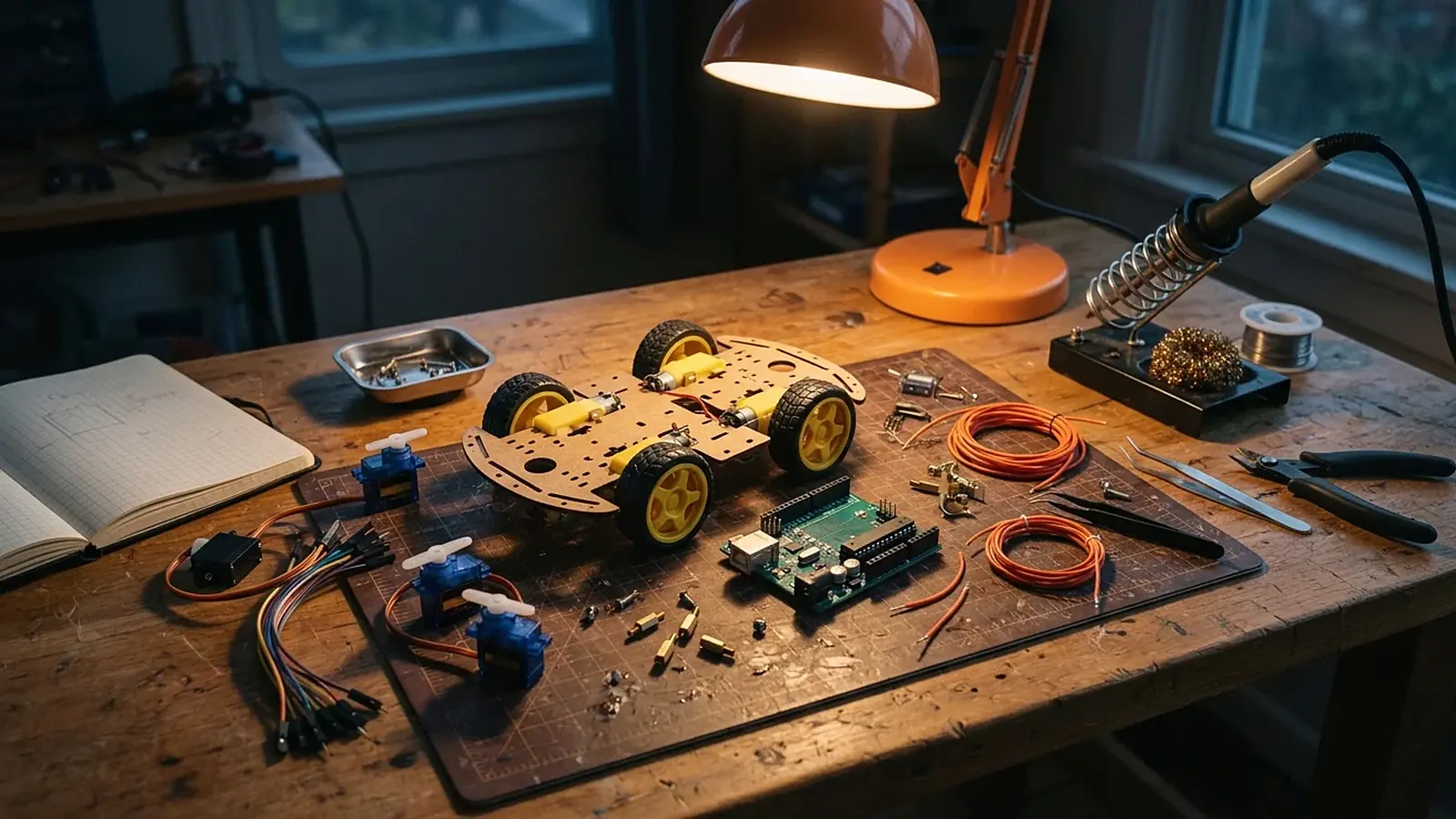
Arduino Robotics for Kids and Teens
One wire, one LED, one line of code. And the robot moves.In briefIn TeamElGhazi's Arduino Robotics workshop, kids ages 10 to 14 build and program a real robot. With an instructor, at a school or at home, they assemble circuits, connect sensors and motors, write their first lines of code, and leave with a robot that avoids obstacles.
 4,8out of 5 · 11 Google reviews
The program sheet
- Duration
- Flexible, to be set with the family
- Format
- With an instructor present
- Age
- 10 to 14 years old
- Prerequisites
- None. Being able to read instructions and handle small objects with care.
- Price
- Rate depends on the format: ask us
Your child
leaves with.
The final project
A robot that avoids obstacles, built and programmed by the child, and a certificate given to the child
- The tools
- Arduino board
- sensors
- LEDs
- buttons
- servo motors
- motors
- chassis
- Audience
- Kids and teens; a parent completes the enrollment
- Location
- At a school or at home, in Morocco; the location is set with you at enrollment
- Language of the sessions
- Sessions, materials and communication in 100 languages. At a school or at home, anywhere in Morocco.
What does your child do, step by step?
01Step 1Circuits: assembling sensors, writing a first simple piece of code, taking on challenges with a robot that follows a line
02Step 2Components: lighting an LED, reading a button, understanding what a resistor is for
03Step 3What moves and what makes sound: servo motors, buzzers and DC motors
04Step 4Programming: the part of the program that sets up the board, the part that repeats endlessly, and the variables the whole program shares
05Step 5Assembly: building the chassis, attaching the wheels, connecting the power supply
06ProjectThe project: a robot that avoids obstacles, a race between robots, then a review of the work and a certificate given to the child
Une LED, un capteur, une carte
- 1La carteElle lit le capteur et commande la LED.
- 2La plaque d'essaiOn branche sans souder.
- 3La LEDAvec sa résistance, sur la broche 13.
- 4Le capteur de lumièreSur l'entrée A0 : une valeur de 0 à 1023.
- 5Le câble USBIl alimente la carte et envoie le programme.
What parents
ask us.
- 01
For the kid who takes apart their toys
For the kid who takes apart their toys, who wants to know "how it works" and who prefers objects to screens. They don't need to have programmed before. The workshop is for ages 10 to 14: at this age, a child can write short lines of code and handle small components with care.
One example: the robot moves forward and crashes into the wall. The child investigates. Is the sensor connected wrong, or is the condition written wrong? They change a line, run it again, and the robot turns before the obstacle. They have just learned how to track down a fault.
- 02
How do the sessions work?
The workshop takes place with an instructor present, at a school or at home: robotics is done with your hands, not remotely. The location is set with you at enrollment, and so are the times.
Each session follows the same thread: connect, program, test, fix. The instructor checks the connections before power is turned on and teaches the kids to do it themselves.
- 03
What do they get out of it, and what comes next?
They understand that a "smart" object follows a program that someone wrote. They learn patience: a robot almost never works on the first try. And they have a result you can see, that rolls and that they can explain.
We do not promise any school results. We promise that they will have built and programmed their robot themselves.
Those who want to measure themselves against others can aim for the youth robotics and coding competitions that TeamElGhazi prepares for schools and associations. Those who prefer creating on screen can continue with the 3D and Video Games Academy; those who want to understand AI, with the AI Geniuses School.
Du premier fil au robot qui évite le mur
- 01La LED qui clignotePremier branchement sur la carte Arduino, premières lignes de code : la lumière obéit.
- 02Un bouton, puis un capteurLa carte réagit au monde : un appui, une distance mesurée.
- 03Ce qui bouge et ce qui sonneServomoteur, buzzer, moteurs ; les branchements sont vérifiés avant chaque mise sous tension.
- 04Le châssis montéRoues, alimentation, carte fixée : le robot prend forme et roule.
- 05La course entre robotsIl évite les obstacles ; course entre participants, puis l'attestation remise à l'enfant.
Related
courses.
Digital Creation Workshop
From the phone that films everything to the video they are proud to show.
- Duration
- 2 weeks
- Format
- Two-week camp, with an instructor
- Age
- 8 to 14 years old
3D and Video Games Academy
Does your teen spend hours playing? Two weeks to cross to the other side.
- Duration
- 2 weeks
- Format
- Two-week camp, with an instructor
- Age
- 12 to 14 years old
Scratch for Kids
Their first game, made by them, in one month.
- Duration
- 1 month
- Format
- Online, live on Google Meet
- Age
- 8 to 11 years old
Coding Club
Does your child play games? Let them build one.
- Duration
- Flexible, set with the family
- Format
- In a group, with an instructor
- Age
- 11 to 14 years old
AI Geniuses School
A machine that learns from examples: at 10 years old, you can play the machine before you ever use it.
- Duration
- Flexible, to be set with the family
- Format
- In person with an instructor, in a group
- Age
- 8 to 14 years old

Your questions
about this course.
5 answers
What is Arduino?
A small programmable electronic board. You connect lights, buttons, sensors and motors to it, then write a short program that tells it what to do. No prior knowledge is required: the first lines are written during the workshop.
Is the equipment provided?
Ask us when you enroll. We will tell you exactly what is provided during the workshop and whether the child keeps their robot at the end.
Is it dangerous for a child?
Arduino setups run on low voltage, on batteries or a USB cable. The instructor checks the connections and teaches the kids the right habits.
Can robotics be taken online?
No, this workshop takes place with an instructor present: you have to touch the components. To learn to program from home, there is Scratch for Kids.
My child is 9: is it too early?
The workshop is designed for ages 10 to 14. Tell us about your child: depending on how comfortable they are, we will recommend this workshop or another one to start with.
No question matches. Write to us: we answer everything.
Your request
goes here.
Individuals, institutions, companies: you choose your slot online. A first 30-minute conversation about a project, or your hours of lessons.
Choose a slot
- 100 languages
Their first project
starts here.
The course is already selected in the form. A question before you enroll? Let's take 30 minutes.