Training providers · Training centres · Independent trainers
Automating the admin of a training provider
Published · by Abdellah El Ghazi, founder of TeamElGhazi
Short answer: TeamElGhazi automates your learners' admin journey from first enquiry to certificate: quote, agreement, joining instructions, sign-in, surveys, invoice and reminders go out at the right time, and every piece of evidence is filed by session for your quality audit. Our Automation and AI service starts at 5,000 MAD and is delivered remotely to providers in France, Belgium, Switzerland, Canada and Morocco.
Where your team's time goes
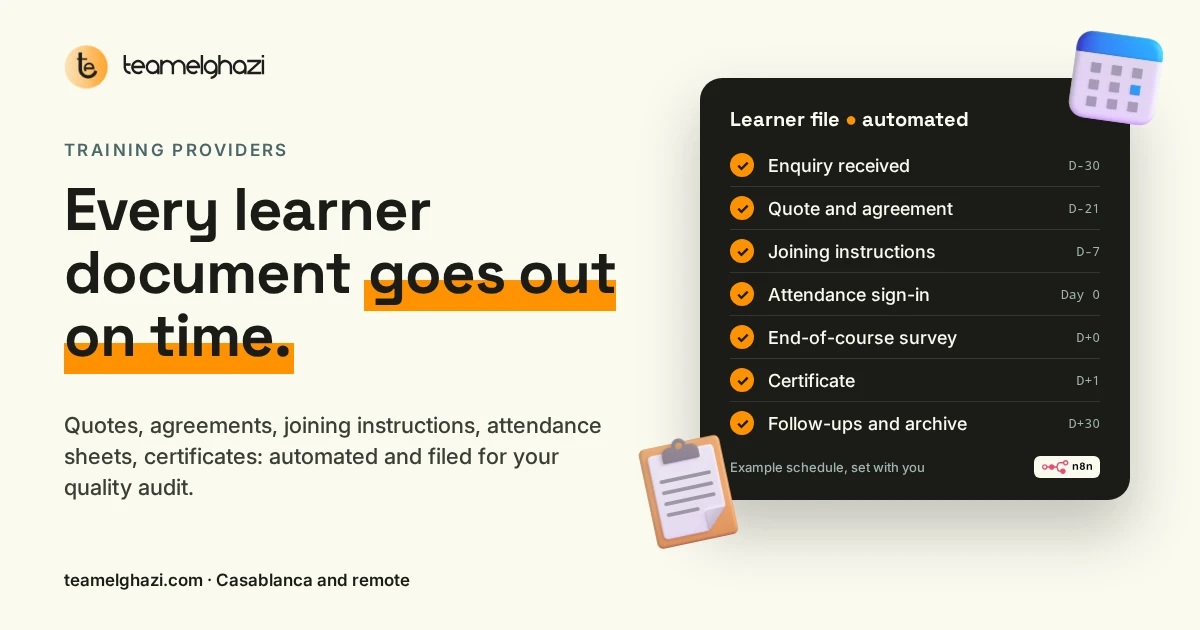
A two-day course for eight learners quickly adds up to dozens of documents: quotes, agreements, joining instructions, sign-in sheets, surveys, certificates, invoices. Each one is built by copying the same details (name, dates, course title, price) from one file to the next. A forgotten joining email, a missing signature or a survey that never went out is often discovered months later, during the audit or when a funder asks for proof. The problem isn't your team; it's a process that relies on everyone remembering everything.
We know this from the inside: TeamElGhazi is also a training centre, in Casablanca and online, and our own enrolments, joining instructions and certificates run through this kind of workflow.
What we automate
Enquiries and acknowledgements
Every enquiry (website, email, a funder's form, WhatsApp) lands in one table, tagged with the course and the source. The prospect immediately gets a clear reply: received, what happens next, which documents to have ready.
Quotes and training agreements
Quotes and agreements are generated from your own templates, with the right dates, price and programme. Your team checks and approves before anything is sent: nothing leaves without them.
Joining instructions and reminders
A few days before the course, each learner receives their joining instructions: times, address or video link, programme, house rules, named contact. A reminder goes out the day before.
Attendance sign-in
Online signature for each half-day, or a paper sheet scanned and filed automatically. If a signature is missing at the end of the day, whoever runs the session gets an alert.
End-of-course and follow-up surveys
The satisfaction survey goes out as the session ends; the follow-up survey on the date you choose. Answers are grouped by session and by course, ready for your review.
Certificates, invoices and chasers
Once the file is complete (attendance, assessment), the certificate and invoice are prepared. Missing documents and unpaid invoices get polite reminders, at a pace you decide.
One learner's file, from first enquiry to audit
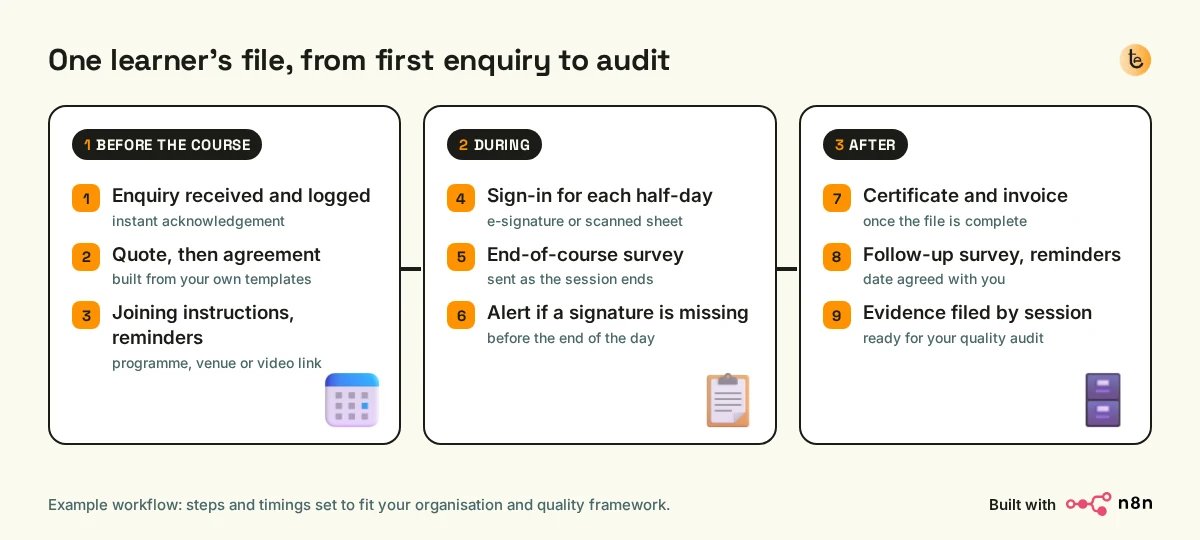
- Before the course: the enquiry is logged and acknowledged; the quote and agreement are drafted from your templates and approved by your team; joining instructions go out with the programme and practical details, followed by a reminder.
- During: sign-ins are collected for each half-day; the satisfaction survey goes out at the end; an alert flags any missing signature the same day, while it is still easy to fix.
- After: the certificate and invoice are prepared as soon as the file is complete; the follow-up survey and reminders go out on the agreed dates; every document is filed in one folder per session.
The timings in the diagram are an example: we set them with you, depending on your formats (open courses, in-company, remote), your funders and your quality framework.
Getting ready for your quality audit without a last-minute scramble
In France, Qualiopi certification asks providers to prove what they already do: inform, invite, assess, collect feedback, handle complaints. In Switzerland, the eduQua label follows the same logic of evidence. An automated workflow doesn't create that evidence for you, but it produces it as you go and files it in one place, with dates. On audit day, you open a session's folder instead of rebuilding it.
TeamElGhazi is neither a certification body nor a quality consultant: your quality lead stays in charge of the indicators, and we follow the version of the framework your certifier applies.
With the tools you already use
- Email and documents: Google Workspace or Microsoft 365, your Word or Google Docs templates, your spreadsheets.
- Training management software: if it has an API or exports, we connect it to everything else so nothing is typed twice.
- Signatures and attendance: your e-signature tool, or paper sheets scanned and filed automatically.
- The engine: n8n, an automation platform that can be hosted on your own server; all accounts stay in your name.
Want to see what automation changes for a small organisation first? Read our guide automating a small business with n8n. And if your website doesn't take online enrolments yet, see our page on websites and online enrolment for schools and training centres.
How a project runs
- Free video call: your course formats, your tools, your funders, and the step that eats up the most time.
- Written quote: which steps are automated, which tools are connected, the set-up price and any monthly costs.
- Step-by-step roll-out, tested on a real session with your team before it becomes the norm.
- Documentation and handover, then adjustments after the first sessions.
Pricing
| Service | Price |
|---|---|
| Automation and AI (learner workflow, documents, reminders, evidence filing) | From 5,000 MAD |
| Web development (your website, course pages, online enrolment) | From 2,500 MAD |
| Automation & No-Code course (so your team can maintain the workflow) | 1,500 MAD (6 weeks online) |
Starting prices are shown on each service and course page; the final amount is set in the quote, depending on the number of steps, tools and sessions.
And for your trainers?
Once the admin is lighter, we can also train your staff to use generative AI at work: see our corporate AI training, our AI module for higher education, or the overview of our services on the AI agency in Morocco page.
Frequently asked questions
What can a training provider actually automate?
Everything that repeats from one learner to the next: acknowledging enquiries, preparing quotes and agreements, joining instructions and reminders, tracking attendance, sending surveys, preparing certificates and invoices, chasing and filing evidence by session. Course content and decisions stay with you.
Does this replace our training management software?
No, unless you don't have one. If your software offers an API or exports, we connect it to your other tools (email, spreadsheets, e-signature, invoicing) so nobody re-types data. If you run on spreadsheets and Word or Google Docs templates, we build the workflow around them.
Will it help with a Qualiopi or eduQua audit?
It helps you keep the evidence in the right place: joining instructions sent, sign-in sheets, assessments, surveys, complaints handled, all filed by session. TeamElGhazi is not a certification body and does not replace your auditor or your quality lead. We follow the version of the framework your certifier applies, as it changes over time.
How much does it cost?
Our Automation and AI service starts at 5,000 MAD (Moroccan dirhams). The final price depends on how many steps are automated, which tools are connected and how many sessions you run. Quotes are free and separate the set-up cost from any monthly costs (hosting, third-party tools).
Do you work with providers in France, Belgium, Switzerland or Canada?
Yes. Projects are run fully remotely, by video call and email, in French or English. Our office is in Casablanca, Morocco, one hour behind Paris, Brussels and Geneva in winter, which makes working hours easy to share.
What about learners' personal data?
The data stays in your tools and your accounts: we do not sell it or keep it. Workflows are designed with GDPR in Europe and Law 09-08 in Morocco in mind: only the information that is needed moves, and every account is in your name.
How long does it take to set up?
It depends on the number of steps and tools. We usually start with the step that costs you the most time (often joining instructions or attendance), then add the next ones once your team has adopted the first.
Can our team change the automations later?
Yes. Every workflow is documented and explained. If you want someone on your team to maintain it alone, our Automation & No-Code course (n8n and Make, 6 weeks live online, 1,500 MAD) is built for exactly that.
Tell us which step takes up most of your time: we'll show you how to automate it, and what it costs.
contact@teamelghazi.com · +212 6 60 66 59 52 · 26 rue Nahas Nahoui, Maarif, Casablanca, Morocco